Receive requests, gather initial information and guide booking or the next contact according to agreed rules.
Automation · AI · scheduling
Fewer manual steps. More continuity in your processes.
We connect tools and tasks so information moves forward in an organized way. We build automations to handle requests, qualify opportunities, schedule appointments, update systems or trigger internal processes.
Illustrative workflow · service agentAI + PROCESS
1 · An inquiry arrivesWhatsApp or a connected form
→2 · AI understands the requestInstructions · catalog · questions
→3 · The response takes shapeData · qualification · next step
→4 · The process is triggeredCalendar · CRM · assigned team
→Conceptual illustration. Connections and actions are agreed for each implementation.
What we can automate
The process may change. The method stays consistent.
We review inputs, decisions, exceptions, owners and outcomes. The automation adapts to that map and the tools your company already uses.
Answer common questions, identify needs and route the conversation to a person when appropriate.
Guide a conversation to gather preferences and information, then pass the request to your team.
Connect forms, spreadsheets, CRM, calendars, notifications and other compatible services.
Trigger tasks, update fields, assign owners and monitor defined conditions.
Define when to escalate, request human review or pause a workflow if an exception occurs.
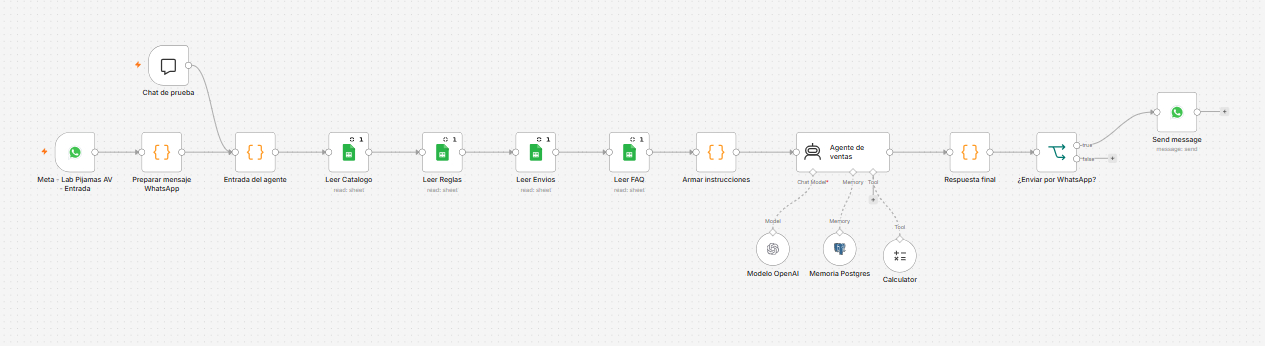
Example: a sales agent for a sleepwear business
A conversation that guides an inquiry toward the next step.
In this n8n workflow, incoming WhatsApp messages connect with the catalog, business rules, shipping information and FAQs. An agent with an AI model, memory and a calculator prepares the response and sends it back through WhatsApp.
Each business requires its own rules, content, connections and validation before live messaging is enabled. Workflow screenshots retain their original Spanish labels.
Completed projects
Automations connected to real tasks.
These workflows show different ways to integrate data, rules and notifications. We design each journey around your company's processes and tools.
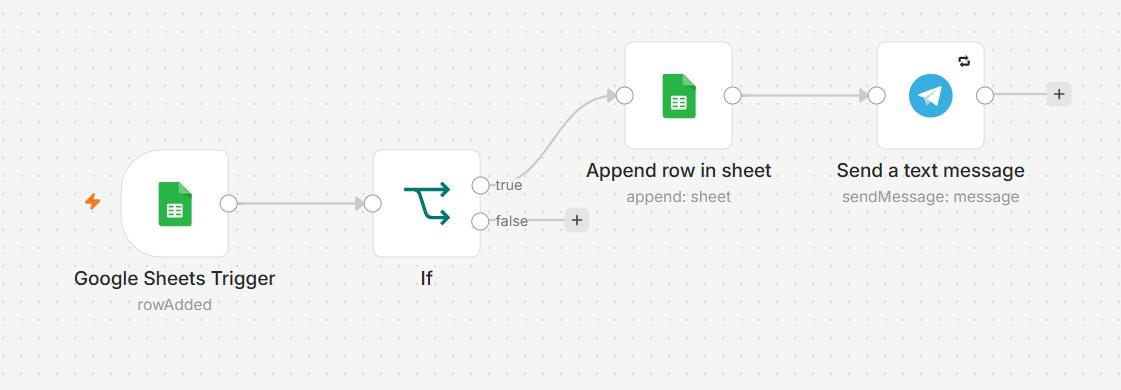
When a new row arrives, the workflow evaluates a rule, records the information and sends a Telegram notification.
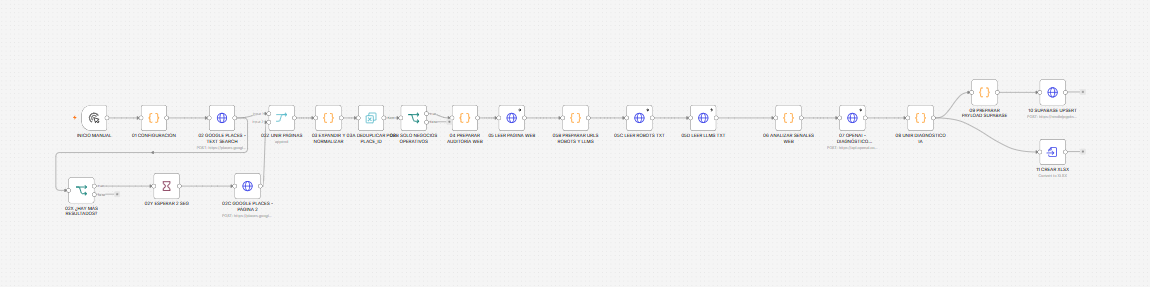
Longer processes are organized into a visible sequence, with connected stages and outputs defined by business rules.
Scheduling automation
From “I'd like an appointment” to a calendar with clear ownership.
A scheduling workflow can capture the meeting's purpose, validate information, offer the next step and notify your team. If the process requires availability checks or automatic booking, integration with the selected calendar is defined.
Actual availability, confirmations and reminders depend on the connections and rules enabled for each company.
Team calendarSample week
Mon9:00
Initial assessment
Tue10:30
Process review
Wed—
Thu14:00
Follow-up
Fri11:00
New inquiry
Concept view, not connected to live calendars.
Responsible workflow design
Automation needs clear controls.
Before a workflow goes live, we define review points and retry conditions so repeated executions do not trigger duplicate actions.
The event that starts the workflow and the data it requires.
Which decisions the system can execute and when it must escalate to a person.
Which tools connect and what permissions each account requires.
Workflow validation with expected scenarios, retries and error paths.
Which task would you like to stop repeating?
Describe your process and we will assess a useful first workflow.